Here’s a step-by-step guide on how to order from our website
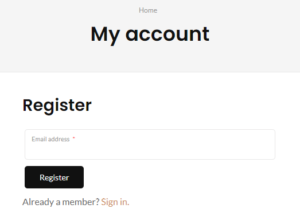
After you enter our website: A pop-up may appear to give you a chance to join our community.
1.Fill in your basic information to join our membership, and get your secret code through your email.
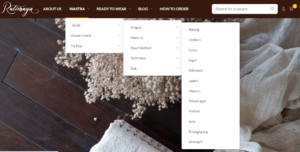
2. Browse and select our products: Explore the product categories (wastra, ready to wear, etc).
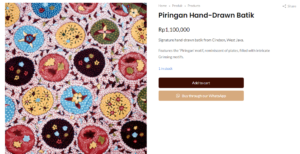
Click on the product you’re interested in to see more details.
3. Add to Cart: Click the “Add to Cart” button to add the product to your shopping cart. Or click “Chat with us through WhatsApp” for further information.
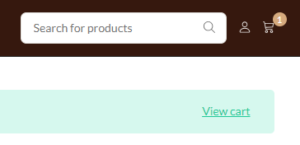
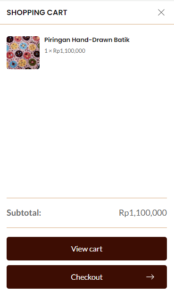
4. View Cart: Click on the shopping cart icon at the top right corner of the page. Review the items in your cart to ensure they are correct.
5. Proceed to Checkout: Click the “Checkout” button. You may need to sign in or create an account if you haven’t already.
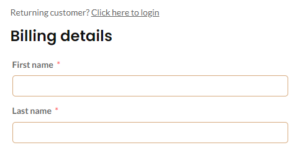
6. Enter Shipping Information: Fill in your shipping address details accurately. Choose your preferred shipping method.
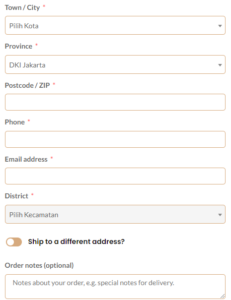
7. Review Order: Double-check all your details including items, shipping address, and payment information. Fill in your special requests if needed. Enter your secret code or any discount codes if available.
8. Place Order: Click the “Place Order” button to finalize your order. You will receive an order confirmation email with the details of your purchase.
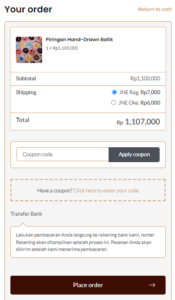
9. Payment: Make your payment (payment should be done within 1×24 hours). Click “Payment confirmation through our WhatsApp”, or use the “payment confirmation” page and send your payment receipt.
10. Track Order: After placing the order, you will receive a tracking number. Use this number to track the shipping status of your order on the website or via the provided link.